CraftOS · For business & government

Your organization’s AI,in one workspace.

A sovereign AI platform for UAE organizations. Connect your systems and AI agents. Control data access, deployment and token costs.

Inside CraftOS

One AI workspace.Your business, connected.

Your enterprise AI operating system: one workspace for business knowledge, models and agents. Ask questions and explore results side by side.
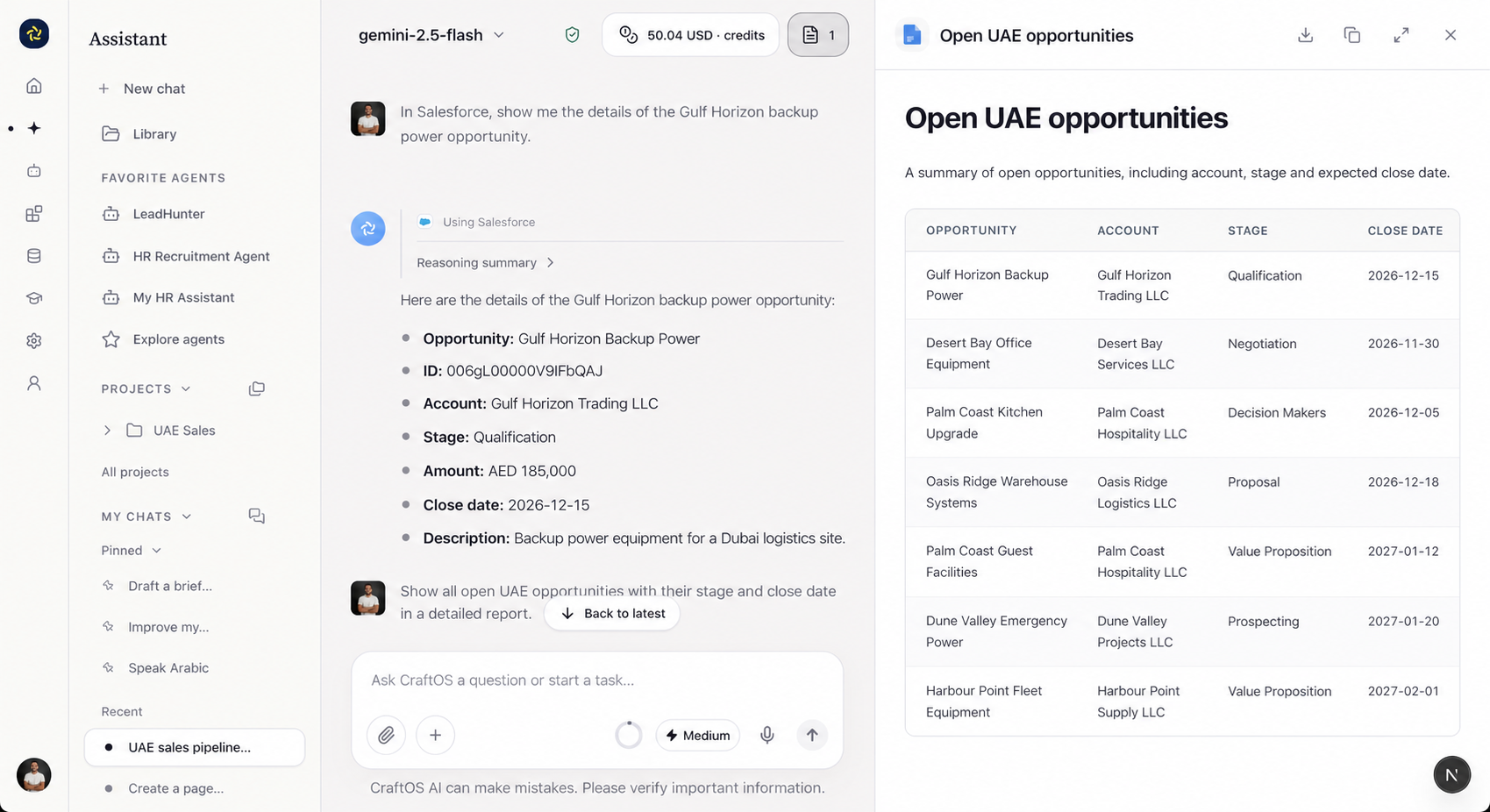
CraftOS workspace in English: a UAE Salesforce opportunity worth AED 185,000 and its sales report, side by side
Data protection

Your data.
Your rules.

An AI governance platform that applies your access and data policies before every model call. Allow, anonymise or block requests.

Allow

Approved content.

Ready to send

Anonymise

Remove sensitive details.

Name[MASKED]

Block

Restricted content.

No model call
  • AccessSSO & role-based permissions
  • BudgetsQuotas & usage by team and model

Inside the platform

One AI platform.
Governed at every step.

From your sources to approved models. Inspect every control along the way.

Shared control planeSSO & service identityRBAC / ABACKeys & secretsResidency & egress rules
01 / CONNECT

Organization sources

ERP, CRM, documents, databases and events.

SAPSalesforceSharePointMicrosoft 365
02 / PREPARE

Ingest & classify

Batch or CDC ingestion, quality checks and sensitive-field classification.

Freshness · schema · deletion sync
03 / GOVERN

Your lakehouse & catalog

Your lakehouse or warehouse, with ownership, lineage and access rules.

Object storageSQL tablesCatalog
04 / RETRIEVE

Permission-aware context

Hybrid search, reranking and authorised SQL with source references.

User + tenant checks before retrieval
Authorised context

Agents use tools within granted permissions.

DESTINATION / UAE

UAE · In-country inference

Approved models on UAE private cloud or on-premises.

QwenDeepSeekKimiGLMLlamaMistral
Licence, GPU sizing and offline policy checks.

CraftOS policy router

Classify request + context

AllowAnonymiseBlock
1 · Enforce location & access rules

Keep UAE-only data in-country. Explicit permission for global routes.

2 · Choose an eligible model
Best QualityBest Cost
Recheck every model & tool call.
No permitted route → block.
Tool writes → approval → audit
DESTINATION / GLOBAL

Global · Approved international routes

Approved provider APIs outside the UAE.

OpenAIGeminiAnthropic
Policy-cleared context only

Masking, destination, retention and provider checks.

Processing region defined per endpoint and model.

Data stays governed

Permissions and deletion sync. Access checks per query. Isolated tenant memory, embeddings and caches.

Private by design

Separate networks, identities and secrets. Untrusted documents; tool permissions enforced outside the model.

Production readiness

Quality, leakage and task evaluations. Signed releases, rollback, recovery and offline validation.

Models

Your models.
Your choice.

AI model routing that balances quality and cost. Choose your model, or let Auto select an approved model within your policies.

Auto mode

Best Quality

Prioritise answer quality among approved models.

Best Cost

Prioritise cost among approved models.

CraftOSYour model policies
Your infrastructure

Local models

QwenMistralLlama
Approved providers

API models

OpenAIAnthropicGemini
  • GPT · gpt-oss
  • Claude
  • Mistral AI
  • Kimi
  • Qwen
  • NVIDIA
  • DeepSeek
  • Gemini
  • Llama
  • Gemma
  • Phi
  • IBM Granite
  • Grok
  • Command
  • Jamba
  • GLM
FinOps

Every token.
Under control.

LLM cost optimization with visibility by team and model. Track token spend, set budgets and use Best Cost routing within your policies.

Book a demo

Track token usage

Input & output tokens · Spend by team and model

Optimise team budgets

Adjust allocations and quotas to actual usage

Route for Best Cost

Match tasks to approved models within budget

Connectors

Connected to
your business.

Connect ERP, CRM and documents with permissions for every user and agent.

ConnectorsAPIMCP
  • Odoo
  • Dynamics 365
  • SAP
  • Salesforce
  • Microsoft 365
  • Google Workspace

More connections via API or MCP

  • Sage
  • Oracle Fusion
  • Zoho CRM
  • HubSpot
  • ServiceNow
  • Zendesk
  • SharePoint
  • Jira
  • Confluence
  • Slack
  • GitHub
  • Snowflake
With Microsoft 365
  • Outlook
  • OneDrive
  • Word
  • Excel
  • Teams
Deployment options

Deploy it
your way.

Sovereign AI in the UAE, with deployment on your infrastructure or in a UAE private cloud. Global model routes require explicit permission under your policies.

Managed infrastructure

Private cloud

Illustration of a cloud data centre with server racks

A private cloud AI platform, with hosting location, access and operations agreed with your IT team.

For SMBs

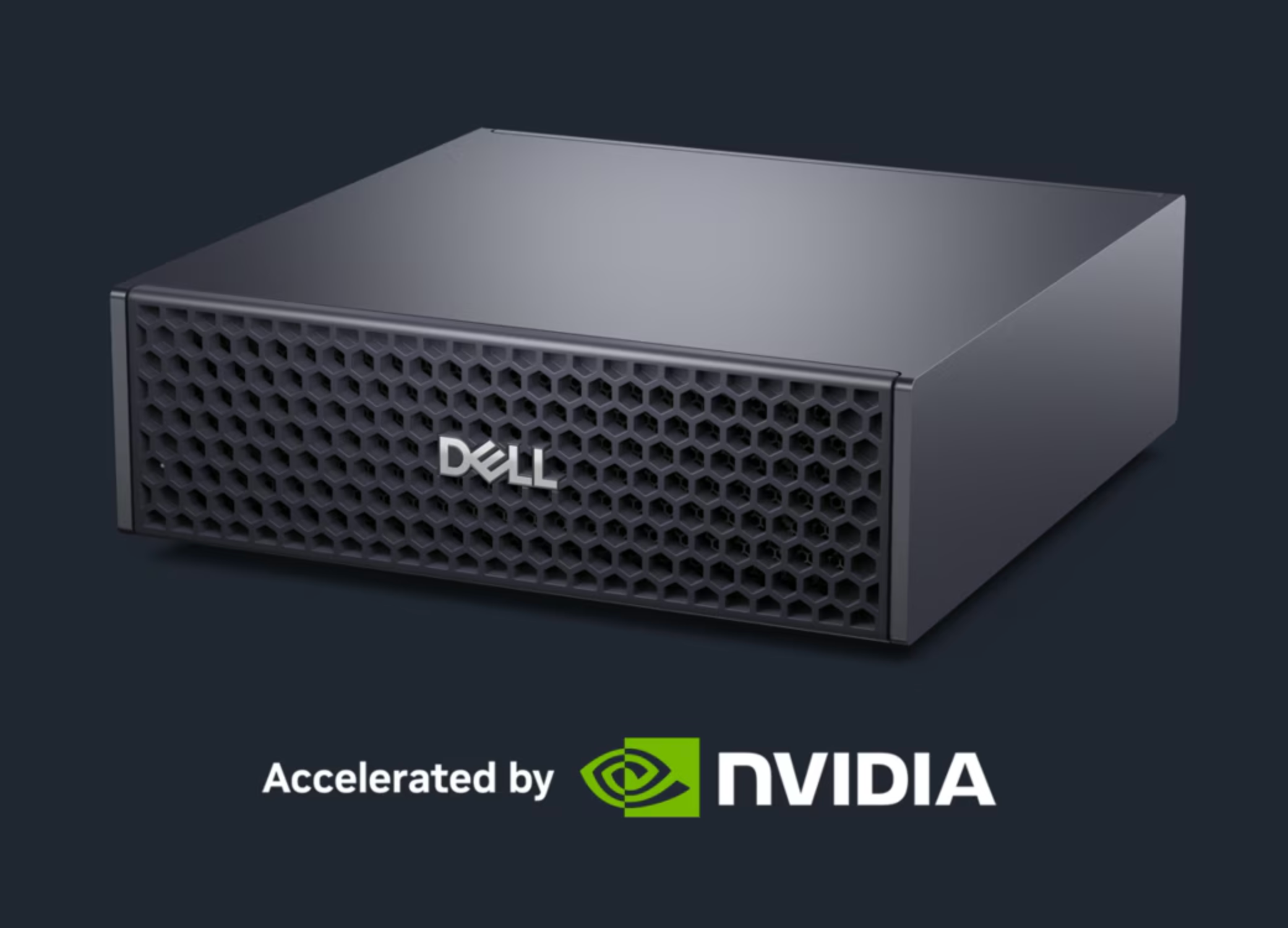
CraftOS Box

CraftOS Box: Dell box with NVIDIA GPU acceleration

On-site AI with NVIDIA GPU, in partnership with Dell.

Dell
NVIDIA
Large organizations

On-Premise

Illustration of a corporate computer room equipped with servers

An on-premise AI platform that runs models and agents on your servers, connected to your systems.

Specialist agents

An agent for
every team.

AI agent governance starts with approved knowledge, skills and tools. Define each agent’s access and test it before sharing with your teams.

HR

People & policies

Sales

Accounts & proposals

Finance

Reporting & analysis

Legal

Contracts & policies

IT

Tickets & knowledge

Procurement

Suppliers & tenders

Operations

Planning & logistics

Support

Requests & resolutions

Explore agent missions across 9 teams

Management

  • Daily brief: emails, agenda, priorities
  • Market and competition monitoring
  • Committee preparation
  • Decision notes

Sales

  • Response to calls for tenders
  • Sales proposals
  • Meeting minutes
  • Sales follow-ups
  • Sales pipeline analysis

Purchasing

  • Writing specifications
  • Supplier offer comparison
  • Supplier comparison
  • Order tracking

Finance

  • Financial data analysis
  • Invoice control
  • Accounting reconciliations
  • Financial reporting
  • Recovery of unpaid debts

Legal

  • Contract analysis
  • Identification of risk clauses
  • Regulatory monitoring
  • Responses to legal requests

Human resources

  • Analysis of applications
  • Responses to employees
  • Employee onboarding
  • Generation of HR documents

IT / Support

  • Tier 1 Support
  • Ticket qualification
  • IT documentation and procedures
  • Preparing access requests

Communication

  • Preparing presentations
  • Document summaries
  • Reports
  • Content creation

Transport & logistics

  • Daily operating brief
  • Reading transport documents
  • Tracking shipments and delays
  • Inventory analysis and replenishment
  • Messages to customers and carriers
Multilingual

Your teams.
Their languages.

Work across languages, with shared knowledge and the same access controls.

العربيةEnglish中文FrançaisAnd more
Enterprise AI orchestration

Move work forward.
Keep people in control.

Orchestrate agents, business tools and approval steps in connected workflows. From trigger to action, with people in control.

Pipeline Editor 6 connected steps
  1. 01 · Trigger
    Invoice received

    New SharePoint file

    When a document arrives
  2. 02 · Reading
    OCR

    Read the document · DeepSeek

    Waiting
  3. 03 · Extraction
    Invoice fields

    Supplier, amount, reference

    Waiting
  4. 04 · Analysis
    Deviation control

    Compare to purchase order · Claude

    Waiting
  5. 05 · Human validation
    Check and approve

    Decision of the Finance manager

    Validation required
  6. 06 · Notification
    Summary email

    Notify the team · Outlook

    After approval
Tasks to combine
  • OCR
  • Extraction
  • Data Analysis
  • Summary
  • Classification
  • Web search
  • Email

Book a demo.

We’ll contact you to arrange your demo.