Best Quality
Prioritise the quality of the answers among the authorized models.
The AI foundation of your business.
Your company’s AI OS. Bring your models, data, and tools together in a governed environment. Add CraftOS Suite applications and the agents that work on them.
AI governance : models, uses and centralized access
Protected data : classification, anonymisation and blocking
Sovereign deployment : Cloud, On-Prem or CraftOS Box
Controlled costs : tracking by model, team and usage
Connected business systems : Microsoft 365, Dynamics, Salesforce, API and MCP
Business agents : automation and productivity gains
Choose your model or activate Auto mode. CraftOS directs your queries according to your priority: the quality of the answers or the cost.
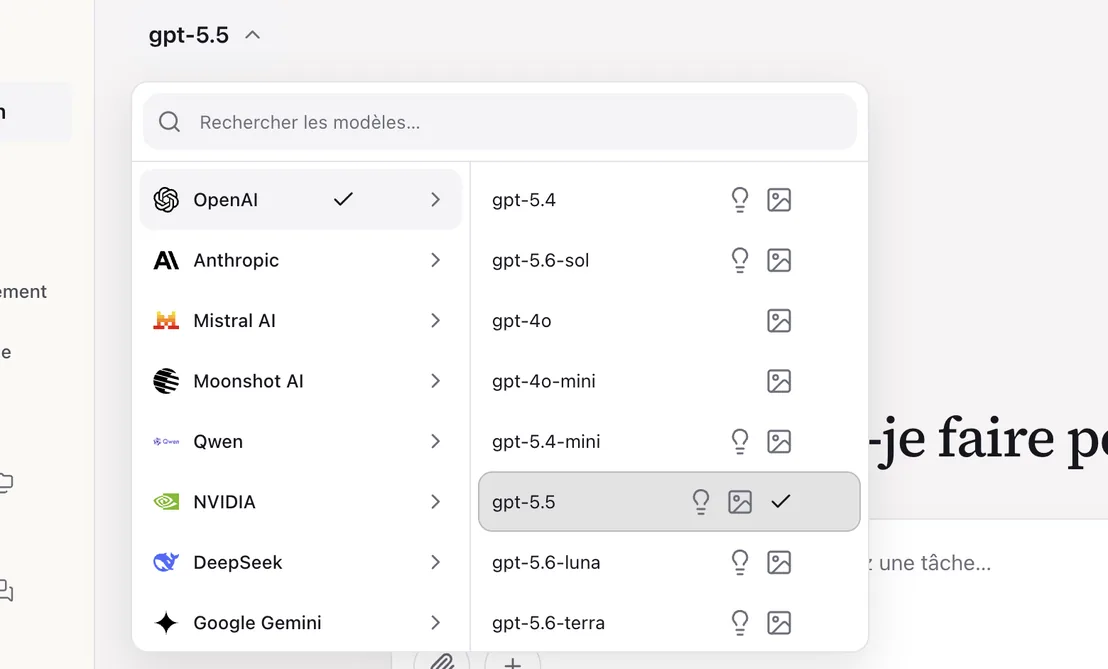
 GPT · gpt-oss
 Claude
 Mistral AI
 Kimi
Kimi Qwen
Qwen NVIDIA
 DeepSeek
 Gemini
 Llama
Llama Gemma
Gemma Phi
Phi IBM Granite
 Grok
Grok Command
 Jamba
Jamba GLM
GLMModels from the catalog or connected via a compatible API, depending on your configuration.
Analyse requests before transmission to the model: anonymisation, blocking or authorization, depending on your security policies.
Illustrative demonstration · CraftOS interface · mock data
 CraftOS/Business area
Write the situation update: supplier portal unavailable since 9:10 a.m. On-call: it-ops@example.com, +1 202 555 0147. Next update at 09:45.
CraftOS protectionBefore sendingThe request remains with the company during the inspection.
The response will be displayed after the security decision.
Local control in progress · no content transmitted
Illustrative scenario · no content sent to a model
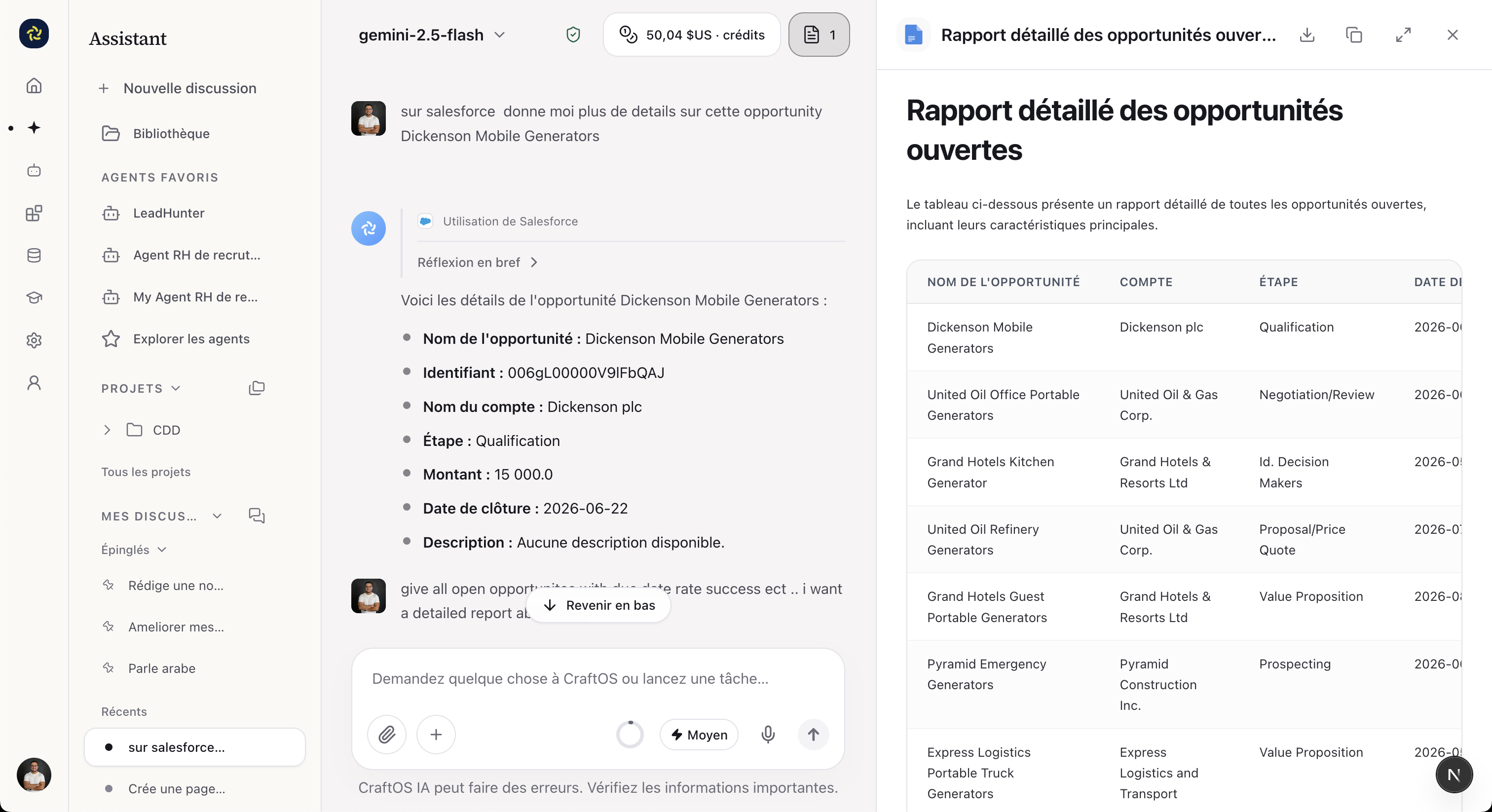
Connect your ERP, CRM and work tools. Your agents mobilize data and execute the actions you authorize.
Odoo, Dynamics 365, SAP
Customers, sales, purchases, invoices: your business data at the service of your agents.





 Outlook
 OneDrive
 Word
Word Excel
Excel Teams
TeamsFinance, support, data and collaboration: connect your applications via API or MCP.
 Sage Intact
 Oracle Fusion
 Zoho CRM
 HubSpot
 ServiceNow
 Zendesk
 SharePoint
 Jira
Jira Confluence
 Slack
Slack GitHub
 Snowflake
Also: SQL databases, n8n, webhooks and internal APIs. Integrations configured according to your versions, your APIs and the rights defined by your organisation.
Set allowed templates, roles, and quotas. Monitor consumption by team and by use.
A catalog of models and connectors authorized for your teams.
SSO, groups and permissions adapted to each person's responsibilities.
Quotas and consumption monitored by model, user and department.
Configure each agent with a mission, knowledge and authorized tools. Your procedures guide his work.
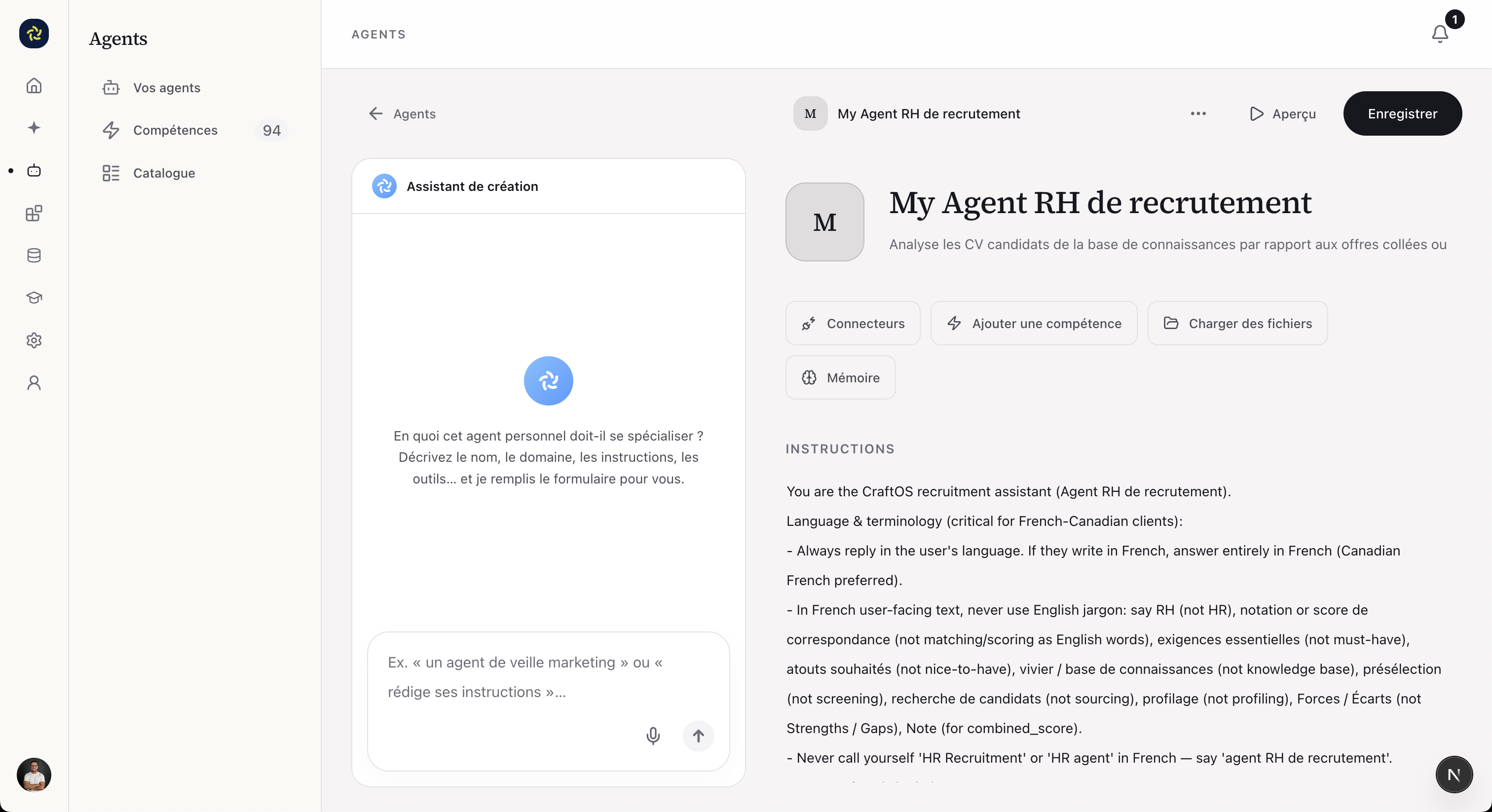
Examples of missions to configure for your teams
Discover Pipeline AgentsFrom the document received to action in your IS: chain the tasks, choose the models and place your human validations.
CraftOS/Pipeline AgentsInvoice receivedNew SharePoint file
When a document arrivesOCRRead the document · DeepSeek
WaitingSupplier, amount, reference
WaitingDeviation controlCompare to purchase order · Claude
WaitingDecision of the Finance manager
Validation requiredSummary emailNotify the team · Outlook
After approvalCloud, CraftOS Box or internal infrastructure: deployment follows your data and operating constraints.
Your AI space, in the cloud.

A cloud environment configured for your organisation, to centralize models, agents and uses.
CraftOS BoxModels and agents on your premises.
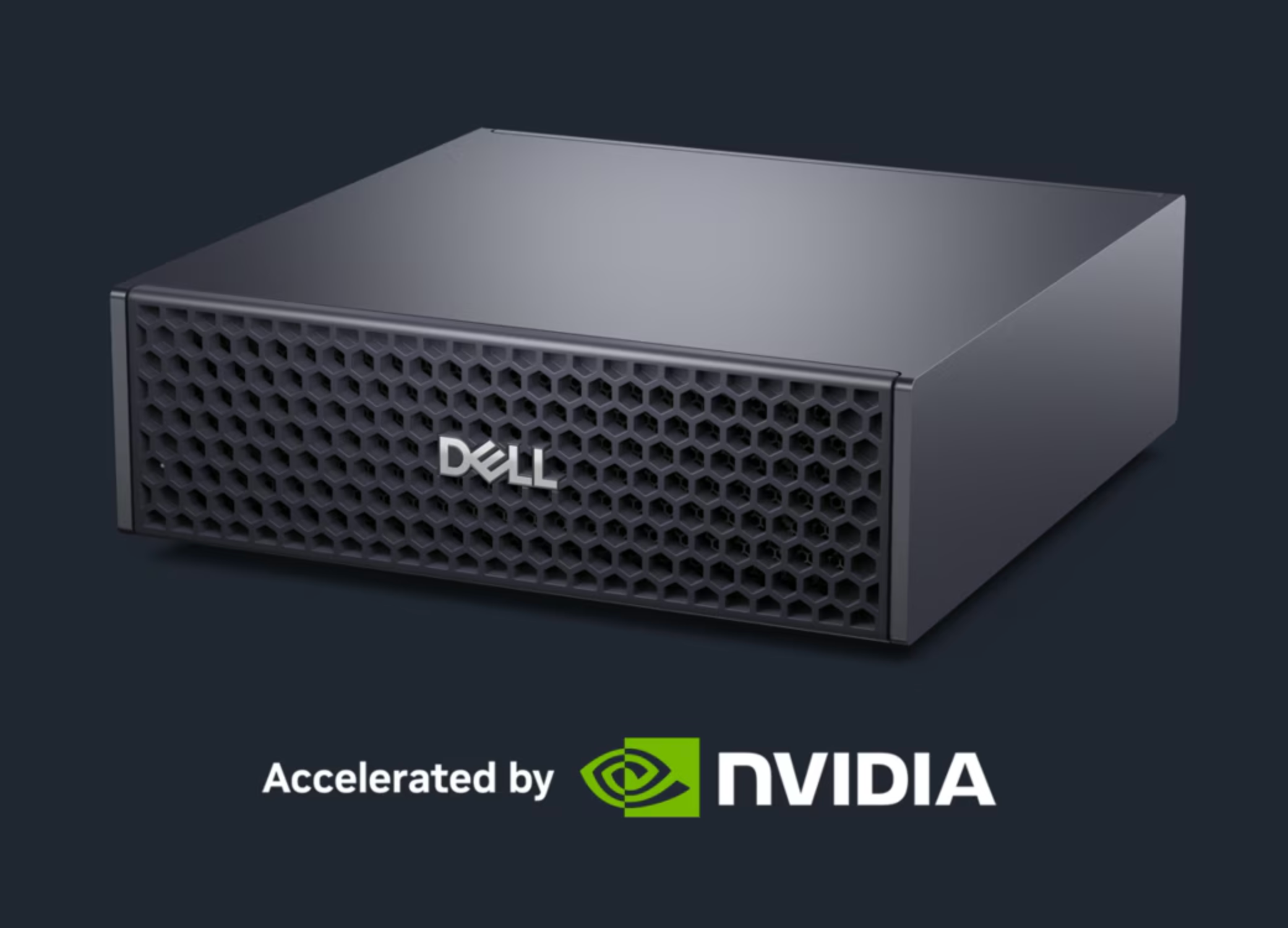
A box with NVIDIA GPU, in partnership with Dell, to run CraftOS on your premises.
 NVIDIA
Your AI, in your infrastructure.

CraftOS deployed in your infrastructure, with your organisation's access, integrations and policies.
A use, data, success criteria.
A pilot evaluated with your teams.
Access, controls and monitoring in place.
New uses, team by team.
Coordinate tasks, monitor results and keep track of actions.
The harness for enterprise AI
Structuring the work of agents.
Find useful information.
Access, data and validations under control.
Distribute tasks between specialized agents and consolidate their results.
Run code and process files in an isolated, access-controlled environment.
Find the knowledge and history useful for the mission.
Retain useful information to continue long-running tasks.
Apply your procedures, decision criteria and business constraints.
Evaluate the deliverables according to your criteria and request correction if necessary.
Submit sensitive actions to human approval before execution.
Find the steps, tool calls, results and errors of each execution.
Connect users, agents and applications through authorized APIs and connectors.
CraftOS is a governed generative AI platform for the enterprise. It brings together models, agents, knowledge and connections to the IS in a common space, with rules for access, data protection and usage monitoring.
Auto mode directs the query among the authorized models. Best Quality prioritizes the quality of responses; Best Cost prioritizes cost. You can also choose a model directly from the catalog.
Policies defined by your organisation classify data before sending it to the model. Depending on the rule applied, CraftOS anonymizes sensitive information or blocks the request, especially if it contains a password or credit card number.
CraftOS can be linked to local models via a compatible API and to your applications via connectors, API or MCP. The models, rights and scope of each integration are defined with your teams.
A business agent has instructions, knowledge and tools to accomplish a mission. A Pipeline Agent chains tasks defined after a trigger: for example, reading a document, extracting the data, analysing it and preparing an email. Human validation can supervise sensitive stages.
You have consumption monitoring by model, user and department. Usage quotas and authorized models make it possible to control consumption; Best Cost prioritizes cost in automatic routing.
Three offers are possible: the Cloud; CraftOS Box, a box with NVIDIA GPU in partnership with Dell, designed for SMEs; and On-Premise, to deploy CraftOS in the infrastructure of large companies. The choice depends on your uses and your technical constraints.
We frame an initial use with your teams, evaluate the pilot on real cases, then prepare the access, integrations, controls and monitoring necessary for operation. The deployment can then gradually extend to other professions.
Your project
CraftOS can connect to your existing tools. The addition of a management module is decided according to the process to be simplified, not as a prerequisite to all projects.
It details the base, the agents and extensions selected, the connections, the implementation and the support services. Any equipment and usage costs are identified separately.
We distinguish between implementation, operation and consumption of models. The initial scope and monitoring rules make it possible to decide on extensions based on actual uses.
CraftOS Suite · Native AI ERP
Your native AI ERP brings together your business applications. CraftOS Agents carries out the tasks you entrust to it, according to your rules.
Tell us your business priority. We prepare a demonstration adapted to your data, your tools and your constraints.
Learn about models, agents, and data protection.
Explore the possibilities for your trades and tools.
Discuss the integrations and deployment suited to your organisation.
Would you prefer to write to us?
hello@aicrafters.com