
Before · Scattered spreadsheets, PDFs and emails
Excel · PDF · Email
- Quote versions to track down
- Payments to check across separate files
- Reminders forgotten or drafted one by one
CraftOS Invoicing — Next-generation invoicing, AI-native.
Quotes in Word, invoices in Excel, reminders by email? Bring your workflow into CraftOS. Your agents prepare documents and follow-ups; you approve them.
“Which invoices should be raised? »
Fictitious example, amounts including tax · invoiced and collected are two distinct indicators.
From quote to payment, find the document, its status and the next action in one place.
Illustrated interfaces · sample data
CraftOS Invoicing — Next-generation invoicing, AI-native.
Ask the question. Find the information.
Sample request
Your assistant gathers the lines and prepares the document.
20 licenses × €30 = €600
2 days × €600 = €1,200
Total before taxes: €1,800
To check: references, taxes, conditions and identity of the customer.
Sample request
Distinguish between expected payments and missed deadlines.
Remains to be collected: €10,500
Including amount due: €4,200
Amount not yet due: €6,300
You can then request the list of documents concerned.
Sample request
Obtain a readable summary from the available documents.
Billed: €42,000
Collected: €31,500
Collection rate of these invoices: 75%
Fictitious amounts including tax, on the same set of invoices. This reporting does not measure profitability.
In the app
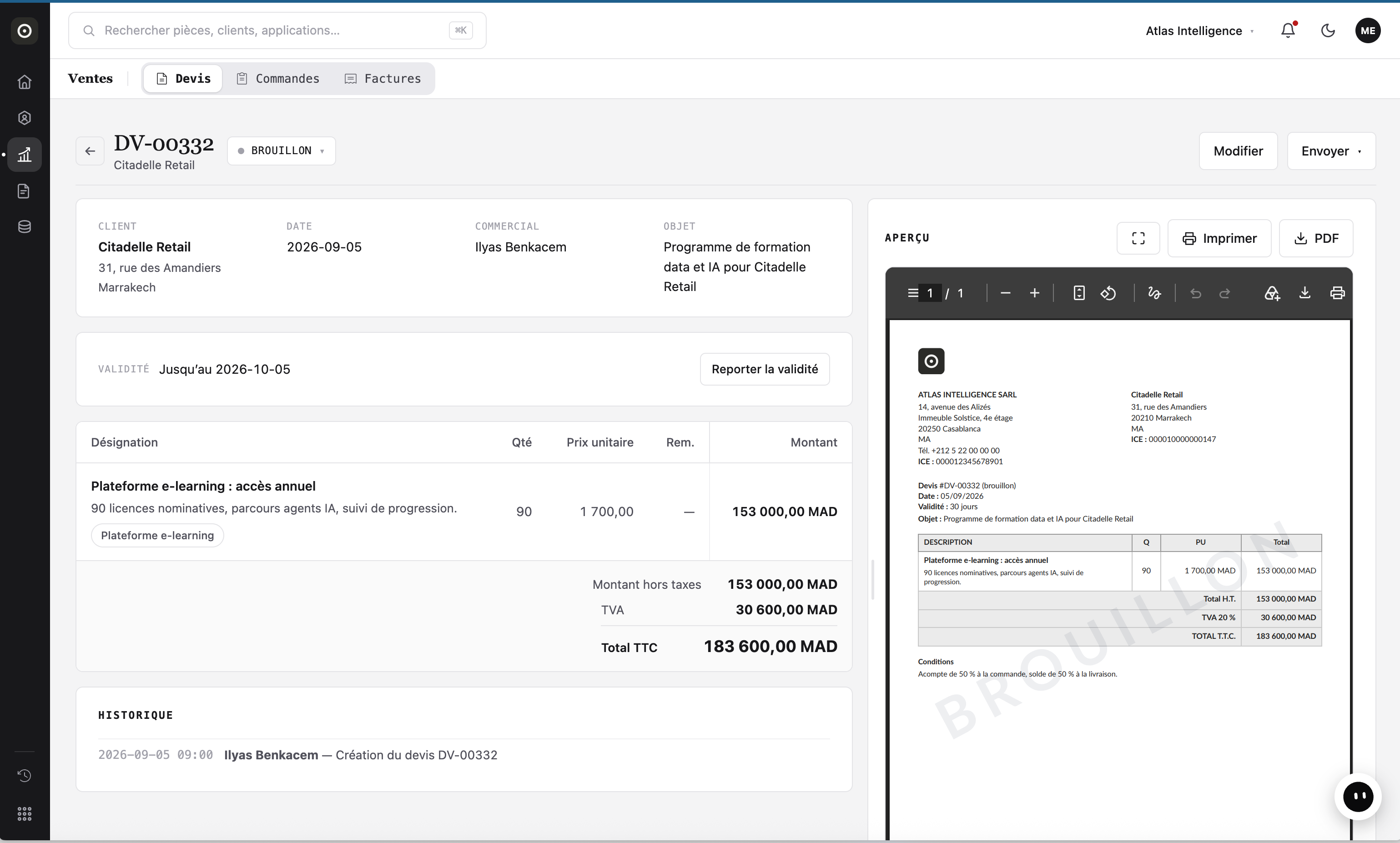
Describe your request in a WhatsApp voice note. The agent prepares the details; you check items, amounts and terms.
Distinguish invoiced, collected and overdue amounts. Ask for a summary and review the underlying documents.
Your agent drafts reminders for overdue invoices. You define the rules and approvals before sending.
MCP connectors: query your invoices from ChatGPT or Claude, according to your access rights.
CraftOS Facturation · Free / Launch / Scale
Choose the level that fits your needs. We define capacities together during your demo.
To explore the software and organise your work.
For small businesses ready to try AI agents.
For larger SMEs with higher volumes.
Limits apply to usage volumes and storage, not the number of people on your team.
You define authorised actions and approvals. Quotes, amounts and sensitive messages are checked before confirmation or sending.
We review formats, data quality and documents with you. The scope of migration is agreed before setup.
Describe your invoicing workflow. We show you relevant use cases, then configure data, access and approvals with your team.
Let's move on to your case
Describe how you work and the need you want to address. We prepare a tailored demo, then agree on the setup together.